
Create a book
A book is a Git repository on BeanHub. Names are 1–32 characters: lowercase a-z, 0-9, -, _.
Open My Repositories and click Create Repository.
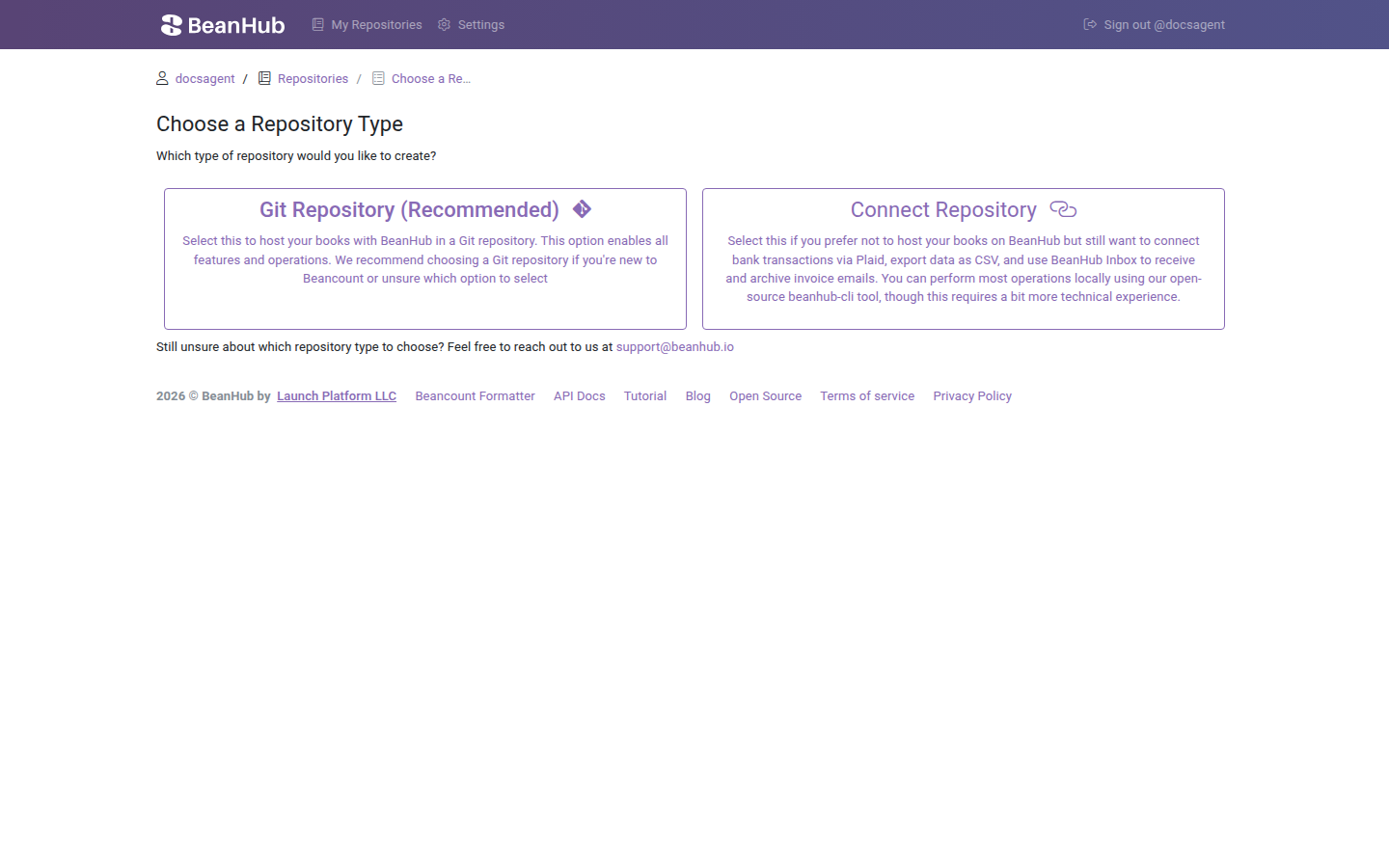
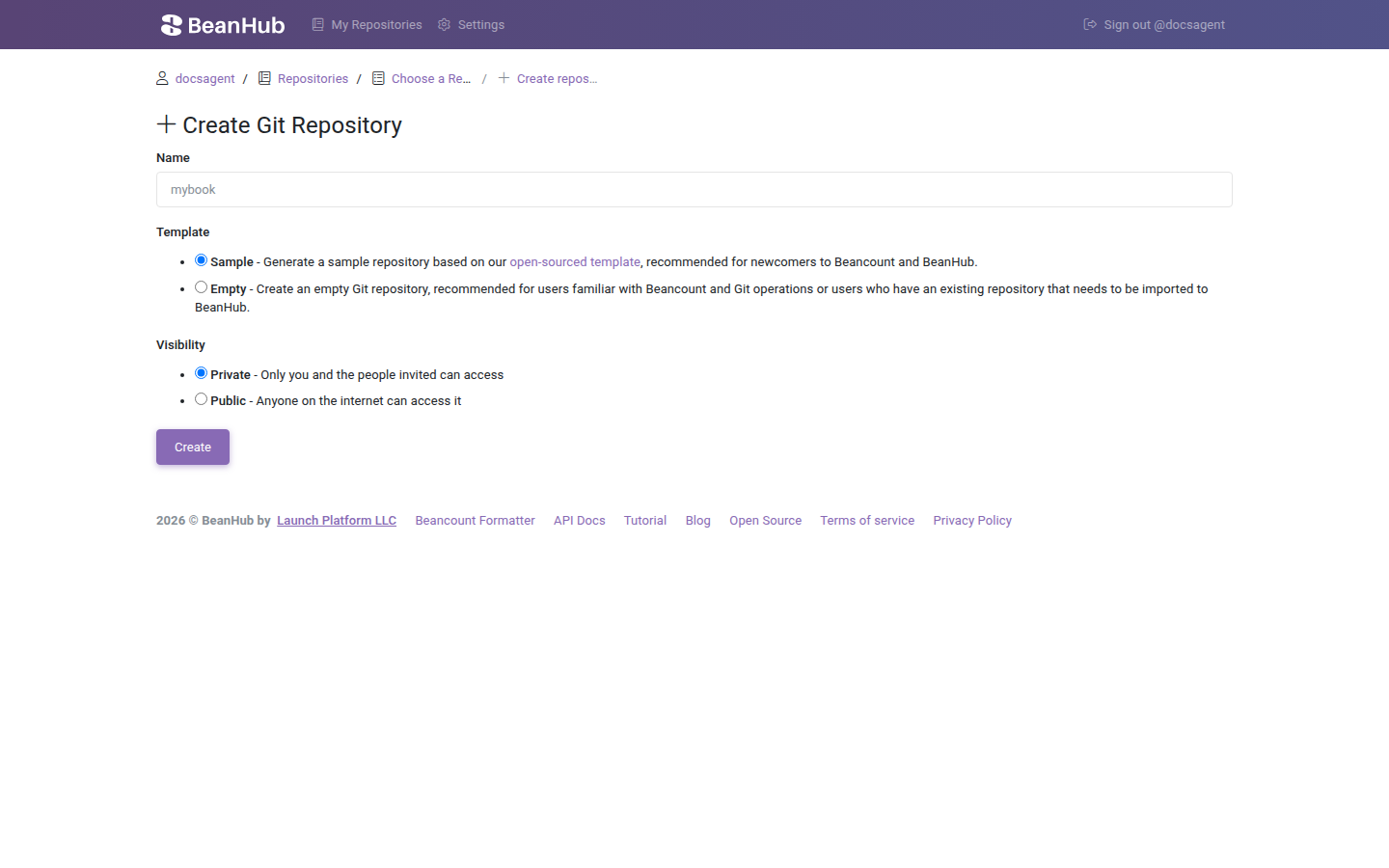
Git repository, sample template
Section titled “Git repository, sample template”This is the path for almost everyone.
- Choose Git Repository (Recommended).
- Name the book.
- Template Sample.
- Visibility Private or Public.
- Create.
The sample is generated from beanhub-beancount-cookiecutter. It includes:
main.beanwithincludeof accounts, commodities, and yearly books.beanhub/imports.yamlwith example Mercury CSV rules.beanhub/forms.yamlwith a sample hours form- A README that walks upload-import and forms
Use it to click through Import and Forms without designing a chart of accounts first.
Git repository, empty
Section titled “Git repository, empty”Choose Empty if you already have Beancount files, or you want to write main.bean yourself.
Until the first push, the home page is an Empty repository panel. It tells you to:
git clone https://app.beanhub.io/repos/USERNAME/REPO.gitCopy your Beancount files into the folder. The main file must be named main.bean. Then:
git add .git commit -m "Initial book"git push origin masterYou need an access token with Git write. See Git over HTTPS.
Cookiecutter on your laptop
Section titled “Cookiecutter on your laptop”If you want the sample tree without using the website template:
pip install cookiecuttercookiecutter gh:LaunchPlatform/beanhub-beancount-cookiecutterIt asks for project_slug, username, and year. Create an Empty Git repository on BeanHub, add the generated folder as the remote, and push. Same main.bean rule as above.
Connect repository
Section titled “Connect repository”Choose Connect Repository only if you will not host the Beancount files on BeanHub. You still get:
- Plaid bank connections (paid)
- CSV dump via
bh connect dump - Inbox email
You do not get Journal, reports, or in-browser edit. The academy walkthrough is Pull CSV with Direct Connect.
After create
Section titled “After create”- Sample Git book: open Journal.
- Empty Git book: push
main.bean. - Connect book: Connect banks.
You can deactivate a book later in Settings to free a quota slot without deleting data. Delete is irreversible. Confirm by typing the repository name.