
Edit and commit
Every change BeanHub makes to your book is a Git commit. You never click a separate “save to database” button. After a successful submit you can open Commits and see the diff.
Add a transaction
Section titled “Add a transaction”- Open Journal.
- Click Add Transaction.
- Pick the Beancount file that should receive the transaction. Sample books often use
books/YYYY.bean. The public example defaults tomain.bean. - Date, flag (
*cleared or!pending), optional payee, narration. - Two or more postings: account and amount. The form autocompletes account names.
- Submit.
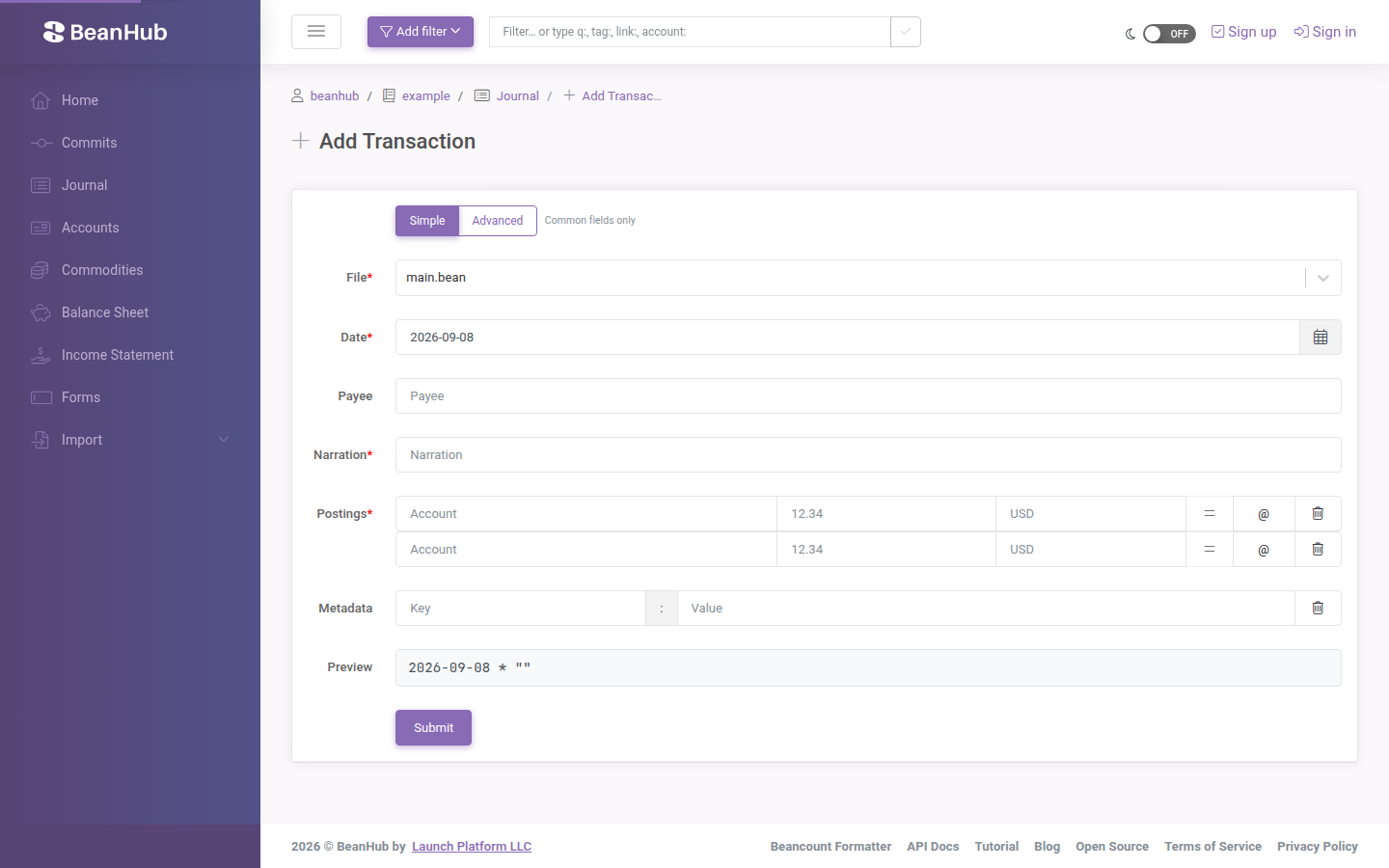
The amounts on the two sides must cancel out (double-entry). BeanHub checks that with Beancount. On success you get a new Git commit, and BeanHub formats the file.
The split button next to Add Transaction also opens forms for:
- Open / close account
- Add commodity
- Add balance assertion
- Add note
- Add event
Edit existing entries
Section titled “Edit existing entries”From the journal (or an account page), select entries and choose edit when the UI offers it. The edit screen is labeled Edit entries.
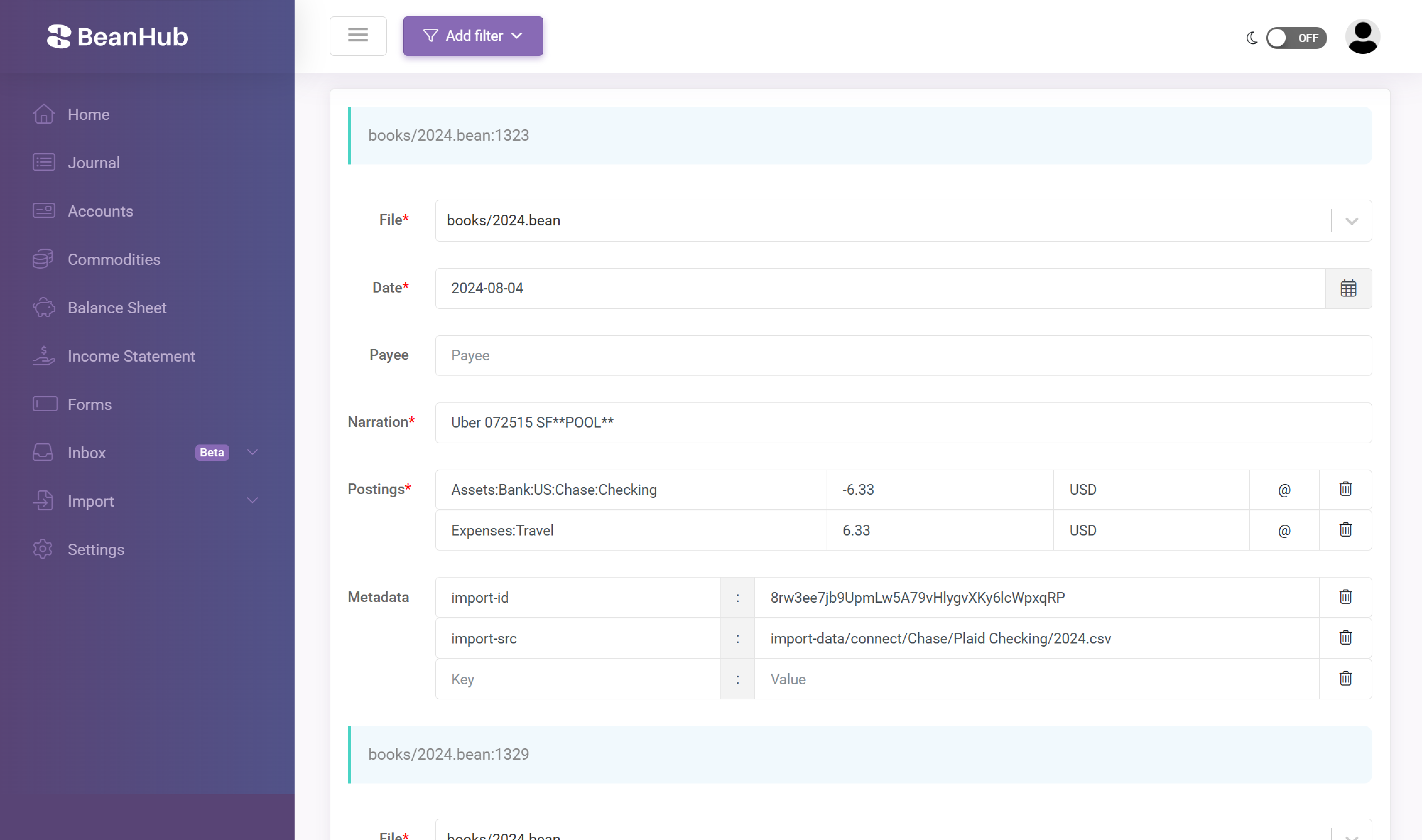
The page itself warns:
- Supported types: transactions, open, close, commodity, balance, note, event.
- Pad, price, document, and custom entries cannot be edited yet.
- Some fields (for example booking method on
open) are dropped if present.
Treat this as a convenience editor, not a complete Beancount IDE. For those entry types, clone and edit the file, or wait for the editor to catch up.
Rename an account or commodity
Section titled “Rename an account or commodity”On an account page, rename rewrites the name across the included Beancount files and commits. Same idea for commodities. This is the safe way to mass-rename without a local checkout. The blog write-up is Mass renaming accounts.
Custom forms
Section titled “Custom forms”If .beanhub/forms.yaml exists, Forms lists named forms. Submitting one generates a transaction (or other entries) and commits. The sample book includes an hours form. See Custom forms.
What a commit looks like
Section titled “What a commit looks like”Open Commits, then the latest commit. You should see the files that changed and a unified diff.
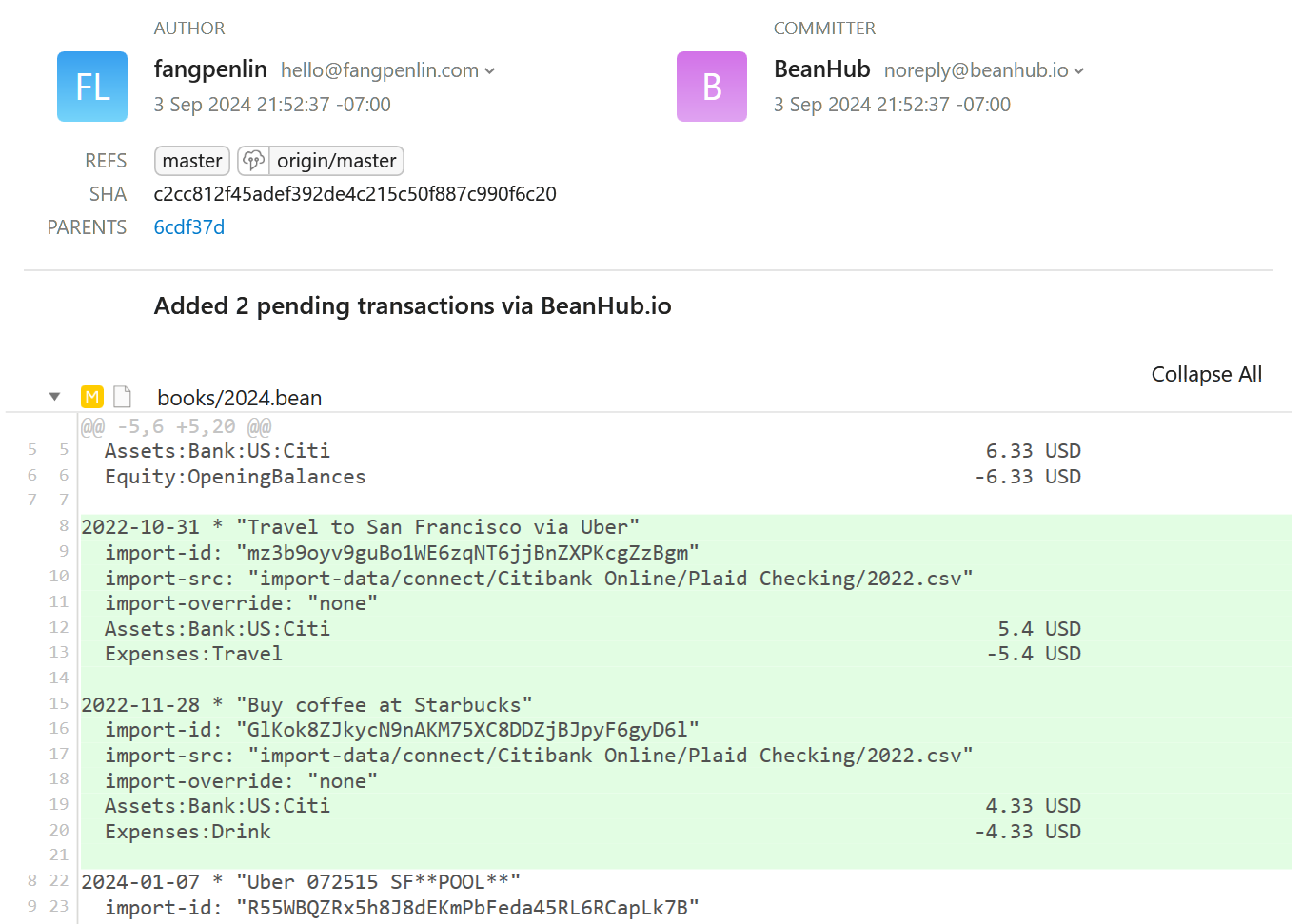
Website commits use your BeanHub username and email as the Git author.
Edit on your laptop instead
Section titled “Edit on your laptop instead”Clone, edit .bean files in any editor, commit, and push. BeanHub runs the same main.bean check on push. See Git over HTTPS.