
Connect banks
Connect pulls transactions from banks through Plaid and writes CSV files into your book (Git repository) or into a Connect-only repository. BeanHub then runs the same import rules as a manual CSV upload.
Marketing copy: 12,000+ institutions in 17 countries. Country support is whatever Plaid Link offers in the Connect UI. If a country is not supported, the connect button returns an error modal.
Connect is not on the free plan. Account Settings shows connected-bank usage as unavailable on free. The pricing page lists 10 connected banks on Pro (30-day trial) and writes that as “per repo”. The running app counts connections across the whole account. If those disagree, trust the Connect Banks page in the app. Enterprise is custom.
Connect a bank (Git book)
Section titled “Connect a bank (Git book)”- Open your Git repository.
- Import → Connect Banks.
- Pick a country.
- Click Connect Bank.
- Complete the Plaid window (institution, login, accounts).
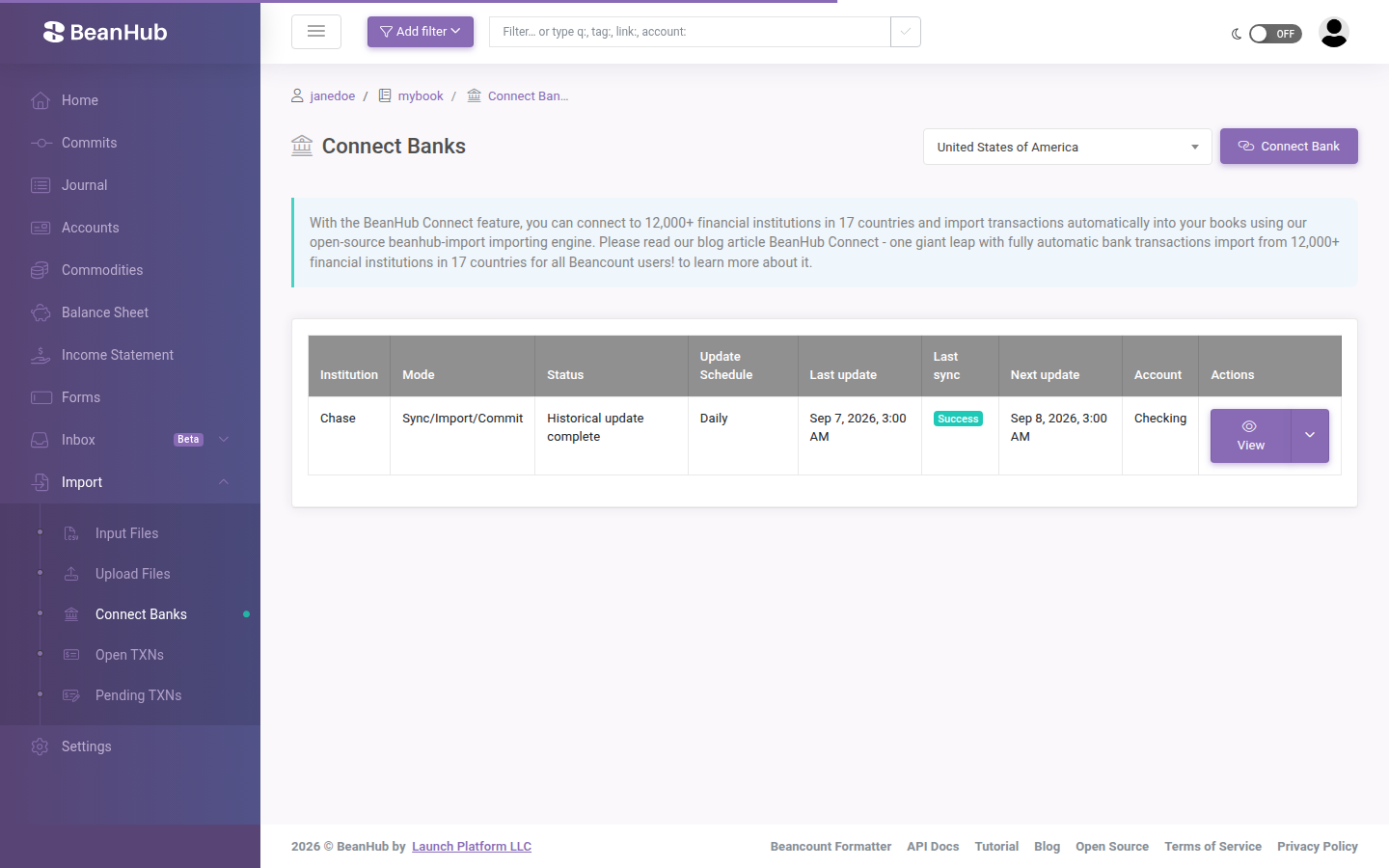
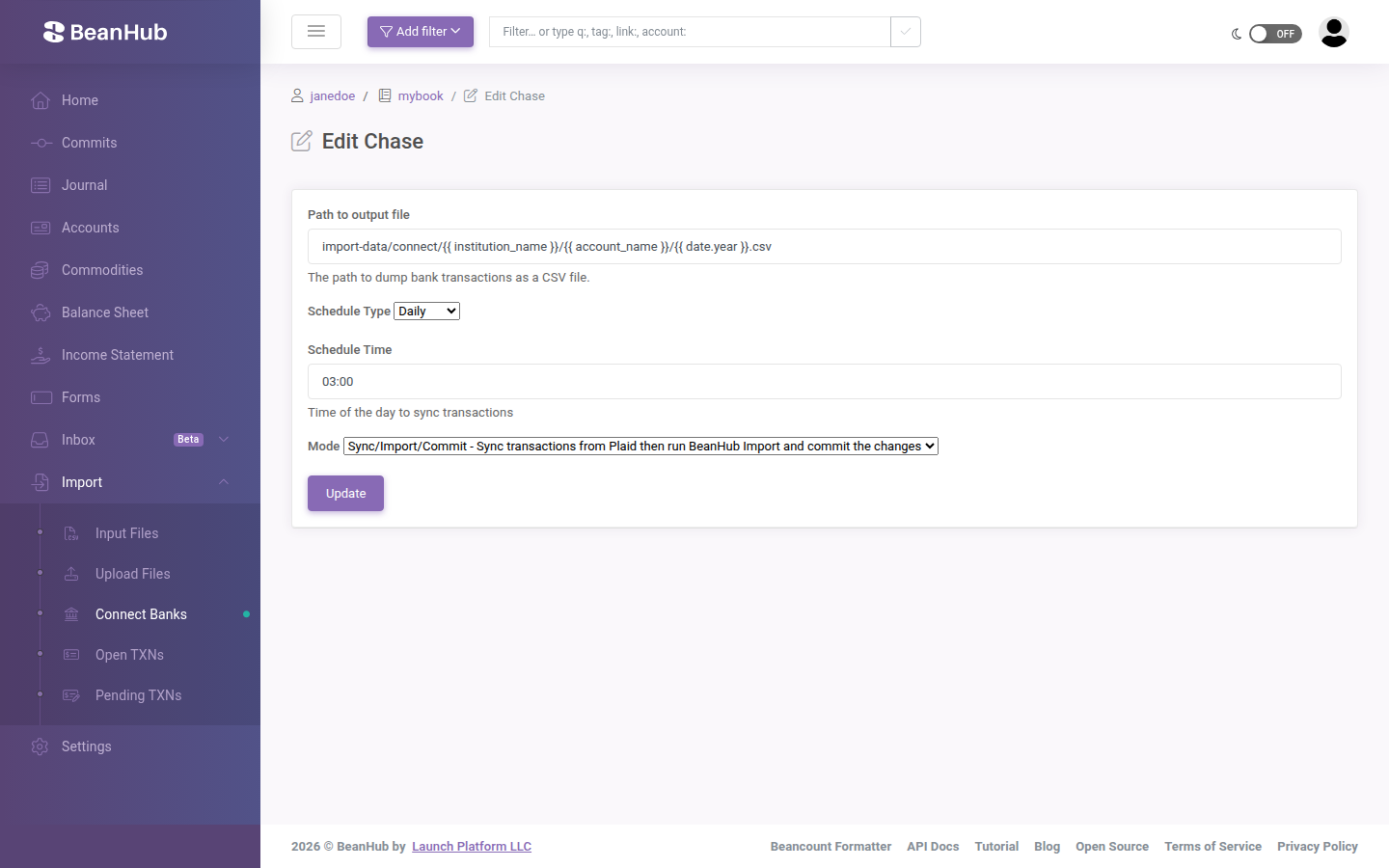
BeanHub stores the item and starts syncing. Default is a scheduled pull. Edit on the connection changes:
- Path to output file — Jinja template for the CSV, usually under
import-data/connect/... - Schedule Type — Daily, Weekly, or Monthly, plus a Schedule Time
- Mode — Paused, Sync (Plaid only), Sync/Commit (write CSVs), or Sync/Import/Commit (also run import rules)
After CSVs land, import rules that match those paths generate Beancount transactions. Unmatched rows go to Open TXNs.
Connect-only repository (Direct Connect)
Section titled “Connect-only repository (Direct Connect)”If you keep Beancount files on your laptop:
- Create a Connect Repository (not a Git book).
- Connect banks the same way.
- Install beanhub-cli (
pip install "beanhub-cli>=3.0.0"). bh login(browser grant of an access token).bh connect syncthenbh connect dump, orbh connect dump --sync.
Academy walkthrough with screenshots: Pull CSV with BeanHub’s Direct Connect. Blog: Direct Connect repository.
What Connect needs on the BeanHub side
Section titled “What Connect needs on the BeanHub side”- A paid subscription (or trial).
- Quota: connected banks are counted across the whole account, not per repo. Hitting the cap shows an upgrade message.
- If a subscription lapses, connections pause, then BeanHub can remove them after about 7 days.
Security notes
Section titled “Security notes”Bank credentials go to Plaid, not into your Git repo. BeanHub stores Plaid access data encrypted. CSV files that land in a Git book are in Git. Treat import-data/ as financial data. Do not make that book public.